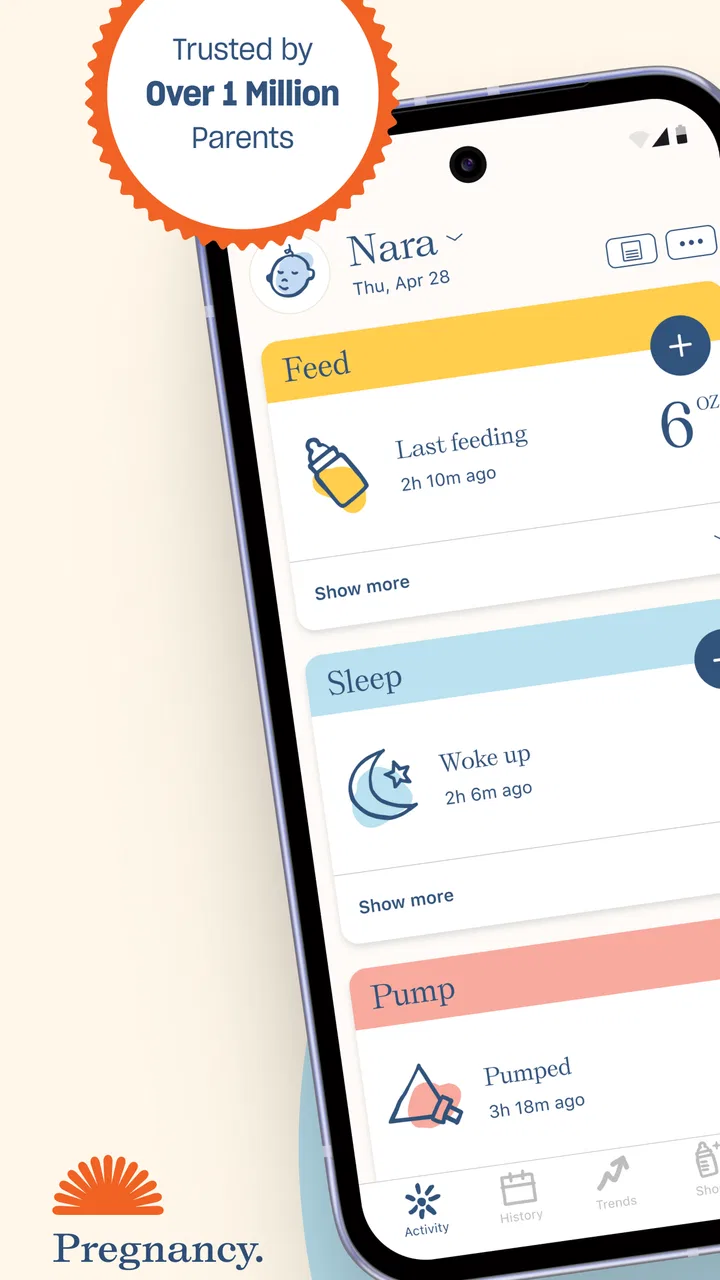
Nara - Baby & Mom Tracker
- 4.0
- Rating
- 100.00K
- Installs
- Free
- Price

 Analysis by App-foxy
Parenting apps often promise to simplify family life, but the real test is whether they remain useful when one hand is busy, the baby is unsettled, and you only have a few seconds to record what happened. After spending time with Nara - Baby & Mom Tracker, I see it as a focused companion for pregnancy, newborn care, feeding, sleep, diaper changes, and postpartum wellbeing. It is free, aimed at everyone, and developed by Nara Organics, with a clear purpose: turning scattered daily observations into a timeline you can actually use.
My first impression is that Nara works best as a practical memory aid rather than a complete parenting guide. It does not replace your own judgement, a pediatrician, a midwife, or a doctor. What it can do is reduce the mental effort of remembering when a feed started, how long a sleep lasted, or when a diaper was changed. That sounds simple, but during the first weeks with a baby, those small details can become surprisingly difficult to keep straight.
How Nara feels during real parenting routines
I focus here on how the tracker fits into ordinary care: brief entries between feeds, checking the day’s sequence after a broken night, and keeping a routine manageable when several people share caregiving. My main test is whether recording a moment supports attention to the baby rather than competing with it; that practical balance shapes how I judge Nara’s value.
You May Also Like

 Blood Strike: 2.5 Anniversary
Blood Strike’s Loadouts Turn Every Drop Into a Tactical Gamble
A close look at Blood Strike’s custom loadouts: how fast access to signature weapons reshapes its battle royale rhythm, rewards preparation, and narrows the gap between fights.

 Pandora - Music & Podcasts
Pandora’s Music Is Easy to Start, but Harder to Recover
Pandora’s strength is its low-effort path from a seed to a station. Its weak spot is how much confidence it asks you to place in connection, setup, and quiet recovery.

 8 Ball Pool
 Is Built on Rivalries, Rematches, and Routine
A close look at the rivalries, rematches, shared routines, and unanswered safety questions that turn a quick pool match into a persistent mobile community.

 Samsung Music
’s Quiet Strength Is Playing What You Already Own
Its reach comes less from spectacle than from dependable access to a personal library. That simplicity is both the app’s strongest retention engine and its ceiling.

 AccuWeather: Weather Radar
AccuWeather Review: A Quick, Clear Forecast for Everyday Decisions
For everyday plans, the best forecast is the one you can understand quickly. AccuWeather makes rain timing, radar, and local conditions easy to act on, with a few trade-offs.

 Hill Climb Racing
Why Hill Climb Racing Still Turns Crashes Into One More Run
A tiny car, a bumpy hill and one more upgrade: Hill Climb Racing keeps resurfacing because its simple chaos makes every near-miss feel personal.
More From Our News Desk



Quick actions matter more than visual polish
The most important performance question for this kind of app is not whether it looks impressive. It is whether I can open it, record an event, and get back to my child without turning the task into another chore. Nara is built around repeated tracking, so its value depends on keeping those actions understandable and reasonably direct.
I found the app most useful when I treated it as a running log instead of a place to analyze every detail immediately. After a feeding, I could record the event while it was still fresh. The same approach works for sleep and diaper changes: enter the basic information first, then look back later when the household is calmer. This workflow avoids the common mistake of trying to document everything perfectly in the moment.
That distinction is important for new parents. A tracker that demands too much attention can become abandoned after a few days. Nara makes more sense when you use it consistently but lightly. I would rather record a simple, accurate entry than delay it while trying to capture every possible detail and then forget altogether.
Its current version, 2.4.2, supports the impression of an actively maintained tool, although version numbers alone do not guarantee a flawless experience. In everyday use, I would still keep a backup habit for information that matters medically. If a pattern seems unusual, the app should help you describe it clearly to a professional, not become the only place where that information exists.
What happens during heavy-use moments
Nara is likely to see its busiest use during demanding stretches: a cluster of feeds, repeated night waking, a long day of diaper changes, or the first attempt to compare sleep with feeding. These are precisely the moments when an app can feel either helpful or irritating. The more often you open it, the more noticeable small delays, unclear buttons, or unnecessary steps become.
My advice is to establish a simple recording routine before you need it urgently. Decide whether you will log immediately after each event or make a short batch of entries at predictable times. Immediate logging gives you better accuracy, especially for start and finish times. Batch logging is less disruptive, but it depends on your memory and can blur events together.
A useful compromise is to log the start of something time-sensitive, such as sleep or feeding, and complete the entry afterward. This reduces the chance of forgetting the event while avoiding a long interaction beside a sleeping baby. It also makes the app fit naturally into real life instead of forcing real life to revolve around the tracker.
For shared caregiving, the practical challenge is consistency. If two adults record information differently, the history becomes harder to interpret. I would agree in advance on a small set of habits: use the same naming approach, record approximate details honestly rather than guessing with false precision, and check the day’s history together when needed. This is a stronger use case for Nara than expecting it to solve communication by itself.
Reliability is about the record, not just the launch
An app can open quickly and still be unreliable if entries are easy to misread or if a tired user cannot tell what was saved. For Nara, reliability should be judged by the trustworthiness of the timeline you build over days and weeks. I paid attention to whether the tracking concept stayed clear after repeated use, because a parenting log becomes valuable through continuity.
I would not use any tracker as a substitute for urgent care or as a diagnostic instrument. A record can show that something changed, but it cannot explain why. If a baby is feeding poorly, seems unusually sleepy, has concerning symptoms, or if postpartum health feels unsafe, contact an appropriate healthcare professional directly. Nara can help you remember and communicate observations, but it should not delay care.
There is also a human reliability issue: tired people make incomplete entries. Instead of treating the log as a perfect scientific record, I recommend using it to identify broad patterns. For example, several days of noticeably shorter sleep may be worth discussing, while a single imperfect entry may simply reflect a difficult night. The app becomes more dependable when you interpret the history with context rather than reacting to every isolated detail.
Another sensible habit is to review the record before appointments or conversations with a healthcare provider. Write down the questions that the timeline raises, and separate direct observations from assumptions. “The baby fed less often yesterday” is more useful than deciding on your own what that must mean. This is one of the less obvious benefits of tracking: it can improve the quality of the conversation without pretending to provide the answer.
Device age and practical constraints
Nara supports devices running Android 7.0 or later, which gives it a broad reach across older phones as well as newer models. That matters for families using a hand-me-down device or an older phone as a dedicated household tool. At the same time, an older operating system may not offer the same general responsiveness as a recent device, regardless of the app.
I would expect the smoothest experience on a phone that still has comfortable free storage, a healthy battery, and a reasonably current system. Those are not special requirements for Nara; they are basic conditions for almost any app used repeatedly throughout the day. If your phone is already slow, crowded, or constantly closing background apps, the frustration may come from the device rather than the tracker itself.
Resource demands are especially relevant for parents who keep their phone nearby for long periods. A tracker should not become the reason the battery disappears before bedtime. I did not treat the app as a substitute for a battery diagnostic, and I would avoid making unsupported assumptions about its background behavior. The practical test is simple: use it through an ordinary day and notice whether it changes your battery routine or creates heat and sluggishness alongside your other essential apps.
Screen size can affect comfort too. On a compact phone, entering details while holding a baby may feel more cramped than on a larger display. On a tablet, the experience may be less convenient simply because the device is not always within reach. For most families, a phone remains the natural home for this kind of log, but the best setup is the one that is available at the exact moment an event happens.
A realistic day with the tracker
Imagine a parent who wakes after a broken night and cannot remember whether the last feed happened before or after the previous diaper change. Instead of reconstructing the night from memory, they open the history and review the sequence. Later, they record another feeding, note a sleep period, and check the day’s pattern before a partner takes over.
That scenario shows both the strength and the limit of Nara. It can reduce uncertainty created by exhaustion, but it cannot make the routine itself easier. The parent still has to enter information, and the value of the history depends on doing so with reasonable consistency. If the app becomes another source of guilt because every missed entry feels like failure, I would scale the routine back. A partial log that helps is better than a perfect system that nobody can maintain.
During postpartum recovery, the personal-health side can be useful for noticing how your own days are going alongside the baby’s routine. I would use that area for gentle self-observation rather than self-diagnosis. Record what helps you remember changes, questions, or difficult stretches, then bring meaningful concerns to a qualified professional. The parent’s health should not disappear behind the baby’s schedule.
Where it differs from simpler alternatives
The usual alternative is a paper notebook, a notes app, or a shared calendar. Those options are flexible and may be faster for a single observation, especially if you already have a system that works. A notebook also avoids learning a new interface and can be comforting for people who prefer writing. Its weakness is that patterns across feeding, sleep, diaper changes, and postpartum notes are harder to review consistently.
A general notes app offers more freedom than Nara, but that freedom comes with more setup. You must decide your own labels, format, timestamps, and method for finding old entries. Nara’s advantage is specialization: it gives parenting events a defined context, so you do not have to invent a structure from scratch. The trade-off is that a specialized tracker may feel less suitable if your family wants to record unusual information outside its intended routine.
Compared with a full medical or family-management platform, Nara feels more approachable for someone who mainly wants a personal day-to-day record. A broader platform may be better for households managing appointments, medication schedules, multiple children, or extensive sharing. I would choose Nara when the priority is keeping core baby and postpartum observations together without building a large administrative system around them.
The app’s strong reception suggests that this focused approach resonates with many users: it has a 4.9 average from around 5.9 thousand ratings, and the catalog shows more than 100 thousand installs. Those figures do not guarantee that it will match every family’s habits, but they do indicate that Nara has found an audience beyond a tiny experiment. I still recommend judging it by whether its workflow fits your hands, your phone, and your tolerance for daily logging.
Who should use it, and who should skip it
I would recommend Nara to expectant parents preparing a tracking routine, new parents who keep forgetting the order of daily events, and partners who need a shared reference point during tiring weeks. It is also a reasonable choice for someone who wants baby records and postpartum observations in one parenting-focused place rather than scattered across messages and notebooks.
I would be more cautious if you dislike structured logging, rarely carry your phone, or already have a reliable paper system that you genuinely maintain. People looking for medical advice, diagnosis, emergency guidance, or a complete family organizer should choose a different tool or speak with a professional. Nara is strongest when the problem is remembering and organizing, not when the problem requires clinical interpretation.
Privacy and access habits deserve ordinary care. Because parenting logs can contain sensitive personal information, I would use a secure device lock and avoid handing an unlocked phone to others. I would also think about who in the household needs access before creating a shared routine. These precautions are not a criticism of Nara specifically; they are sensible whenever personal health and child-care details are recorded digitally.
My performance verdict
After considering speed expectations, repeated use, reliability, and older-device compatibility, I see Nara as a practical, focused parenting app rather than an all-purpose family command center. Its best performance is measured by reduced mental load: fewer moments spent asking “when was the last one?” and more confidence when reviewing the day.
The free price makes it easy to try without committing money, and the Everyone age rating fits its role as a household tracking tool. Its release history reaches back to January 30, 2019, while the current version is 2.4.2, giving the app a longer presence than a brand-new tracker. I would still test it during a normal routine instead of assuming that popularity alone makes it perfect for your family.
My most useful tip is to begin with only the events you truly need. Track feeding, sleep, and diaper changes first, then add postpartum notes if they help you notice questions or patterns. After several days, keep only the parts that reduce confusion. The right tracker is not the one with the most entries; it is the one you can keep using when you are exhausted.
Overall, I would recommend Nara to parents who want a straightforward record of baby care and their own postpartum routine, especially if memory becomes unreliable during busy or sleepless days. I would not recommend relying on it for medical decisions or forcing yourself to log every detail. Used with realistic expectations, it offers a useful middle ground between an unstructured notes app and an overly complicated family-management system.
For me, that balance is the reason to keep it installed. Nara does not promise to remove the hard parts of parenting, but it can make the daily sequence easier to remember, review, and explain. That is a modest job, yet in the newborn stage, modest improvements can make a real difference.
FAQs for Nara - Baby & Mom Tracker
01What features does Nara - Baby & Mom Tracker offer?
Nara - Baby & Mom Tracker is designed to assist new parents with a comprehensive suite of features. It includes tools for tracking feeding schedules, diaper changes, sleep patterns, and growth milestones. Additionally, it offers a health log for vaccinations and doctor visits, as well as personalized tips for both baby and mom.
02Is Nara - Baby & Mom Tracker user-friendly?
Yes, Nara is designed with a user-friendly interface that prioritizes simplicity and ease of use. Its intuitive layout allows parents to quickly log activities and access important information with just a few taps. The app also provides customizable notifications to help manage daily routines efficiently.
03Can multiple caregivers use Nara simultaneously?
Absolutely. Nara allows multiple users to access the same account, making it easy for caregivers to stay synchronized. Whether it's parents, grandparents, or babysitters, everyone can log updates and view the baby's progress in real-time, ensuring consistency and collaboration in caregiving.
04Is the data on Nara - Baby & Mom Tracker secure?
Nara places a high priority on data security. The app uses encryption to protect sensitive information and ensure user privacy. Regular updates are rolled out to maintain security standards, and users have control over data sharing, allowing them to decide who can access their information.
05Does Nara - Baby & Mom Tracker require a subscription?
Nara offers both free and premium subscription options. The free version includes basic features to get started, while the premium version unlocks advanced tools and personalized insights. Subscriptions are flexible, allowing users to choose monthly or annual plans based on their needs.
Pros
- User-friendly interface for easy tracking.
- Comprehensive features for baby milestones.
- Syncs data across multiple devices.
- Customizable reminders for important tasks.
- Supports multiple children tracking.
Cons
- Some features locked behind paywall.
- Initial setup can be time-consuming.
- Occasional sync issues with devices.
- Notifications can be overwhelming.
- Limited customization for themes.

Nara - Baby & Mom Tracker
Gallery